You can place Screenful charts and reports into Monday dashboards using the Monday's Embed Everything widget.
Add Embed Everything widget
To add an Embed Everthing widget to a Monday dashboard, click Add a widget button on top of the dashboard. Select See more and scroll down to the Media section. Select Embded Everything as shown below:

The Embed Everything widget allows displaying (almost) any content in a Monday dashboard, including Screenful charts and reports.
Embed chart using a public share link
Go to Sceenful and grab a public share link for the chart or report you want to embed. The share feature can be found in the context (three dots) menu:
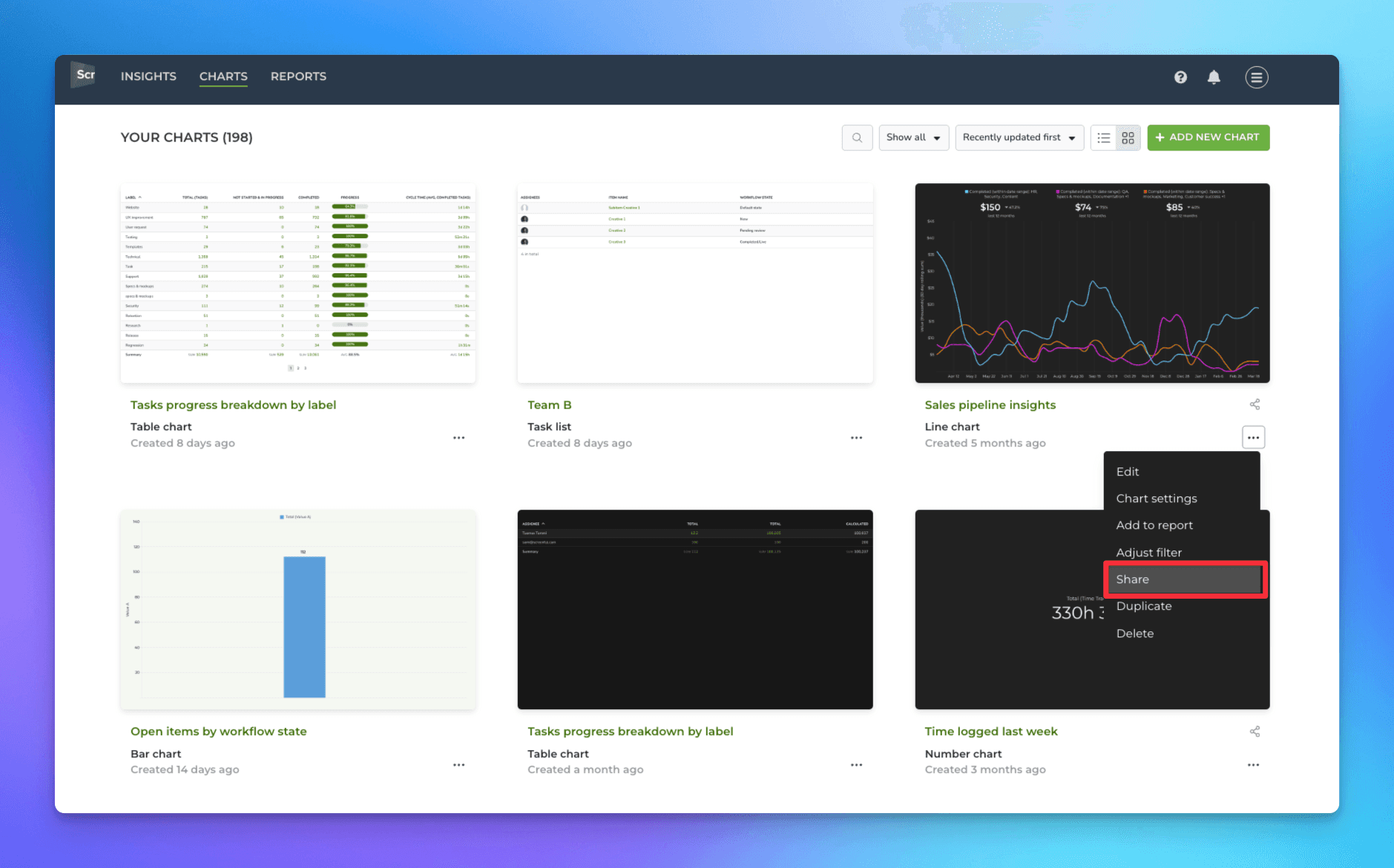
When you select Share, a modal is shown, and the share link is copied to the clipboard.

When placing a chart into a dashboard, you want to ensure that all users can view the chart without logging in to Screenful. You can do that by clicking Make this a public link:

If you check the Enable public sharing checkbox, the link is made public so that anyone can follow the link and see the chart in read-only mode.
Finally, copy and paste the link to the Embed Everything widget:
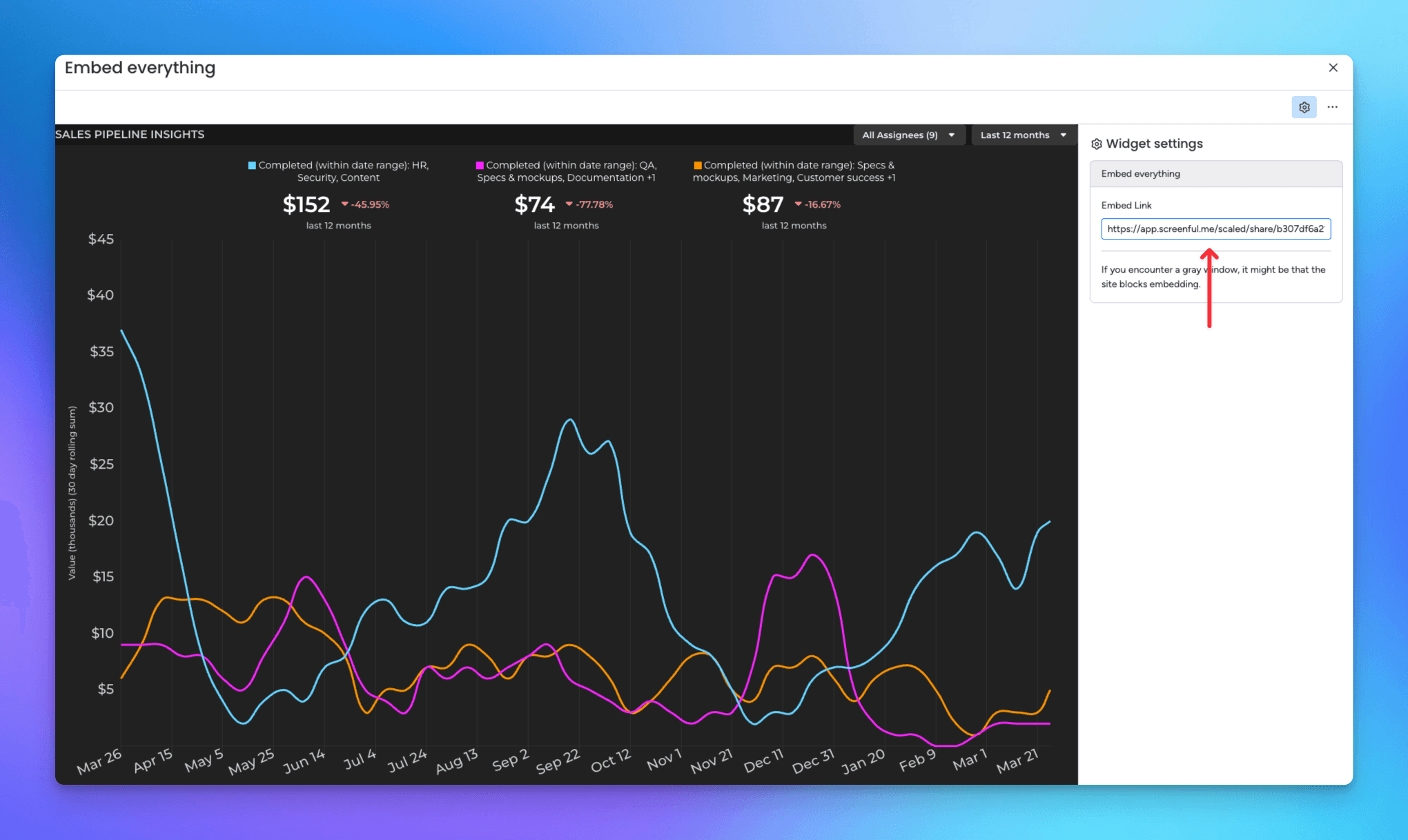
You can disable the link anytime by unchecking the Enable public sharing checkbox. Notice that if you disable a share link, it will be disabled permanently. If you enable sharing again, a new share link will be generated, and the previously shared link will remain disabled. Learn more about share links.