How to authorise access to the GitLab API
Before we can let you dive in, You need to authorize Screenful to connect with the GitLab API. We only read data from the boards you select, we don't change anything in your GitLab account.
Authorising access to GitLab Cloud
When creating a new GitLab data source, you'll be asked to provide the URL to your personal API token (how to find?)
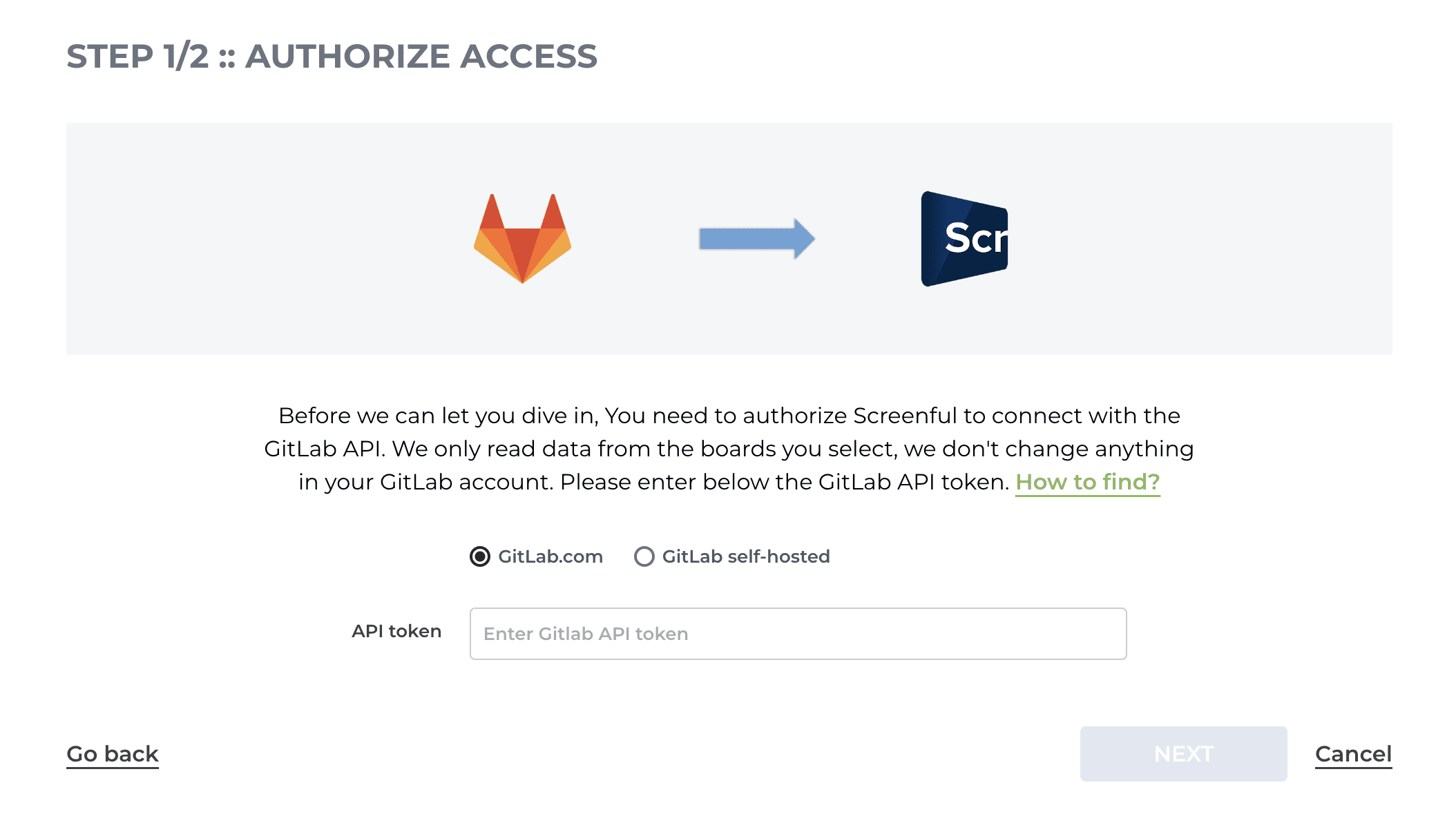
After authorising Screenful to access the GitLab API you’re all set to get actionable productivity insights!
Authorising access to GitLab Cloud
When creating a new GitLab data source, you'll be asked to provide the URL to your personal API token (how to find?)

After authorising Screenful to access the GitLab API you’re all set to get actionable productivity insights!
Authorising access to GitLab Self-Hosted
When creating a new GitLab data source, you'll be asked to provide the URL to your GitLab instance and your personal API token.
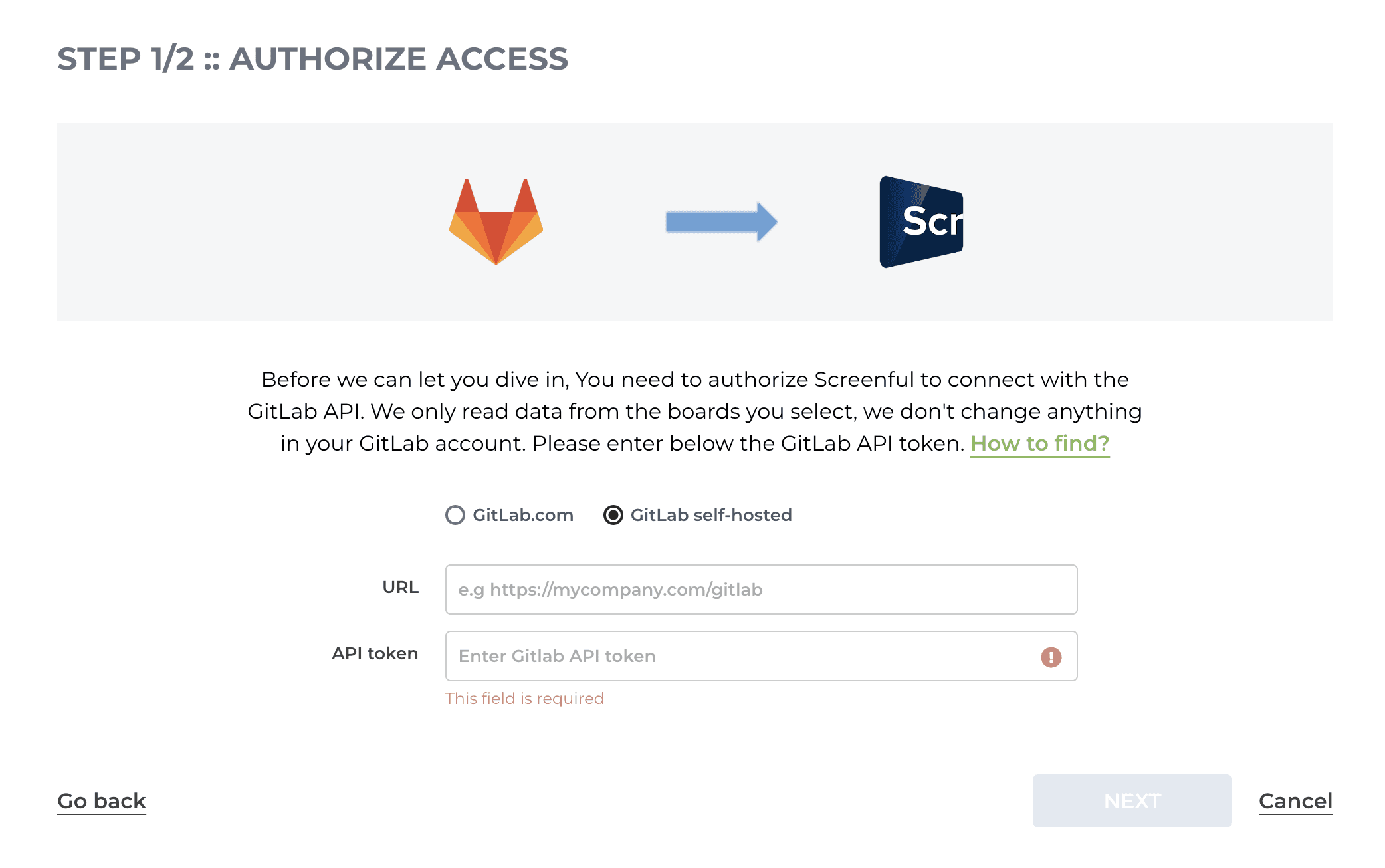
To authorize access to the GitLab API, you need to provide the base URL of your GitLab instance:
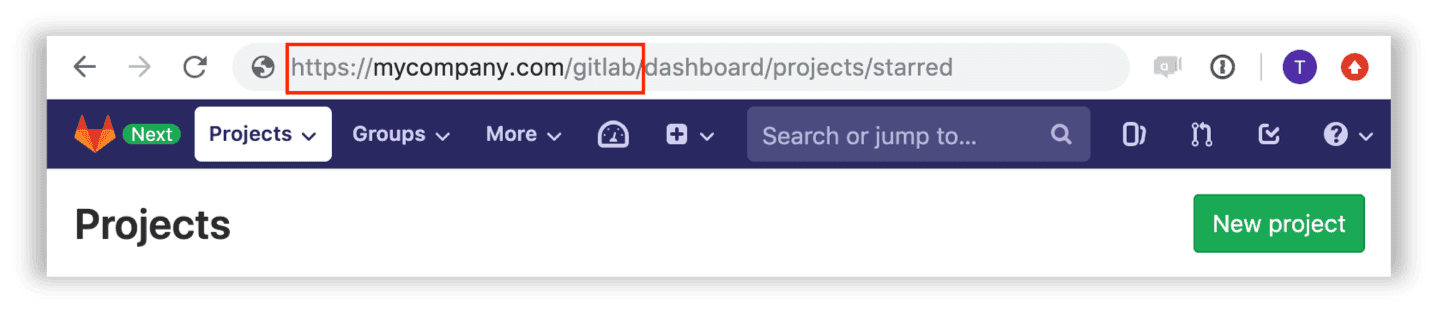
If you're hosting your own GitLab instance, the base URL depends on your domain configuration so you may need to consult your GitLab admin in case you're unsure (although it's ok to use a trial and error too. If you enter incorrect URL you'll just get an error message).
In both cases, you must create a personal access token and provide it to Screenful.
After authorising Screenful to access the GitLab API you’re all set to create charts and reports!
Authorising access to GitLab Self-Hosted
When creating a new GitLab data source, you'll be asked to provide the URL to your GitLab instance and your personal API token.

To authorize access to the GitLab API, you need to provide the base URL of your GitLab instance:

If you're hosting your own GitLab instance, the base URL depends on your domain configuration so you may need to consult your GitLab admin in case you're unsure (although it's ok to use a trial and error too. If you enter incorrect URL you'll just get an error message).
In both cases, you must create a personal access token and provide it to Screenful.
After authorising Screenful to access the GitLab API you’re all set to create charts and reports!
Book a free onboarding call
Need help with setting up your charts and reports? Don't find a metric you are looking for? Book a call with our expert. We'd love to help you supercharge your reporting!
Book a free onboarding call
Need help with setting up your charts and reports? Don't find a metric you are looking for? Book a call with our expert. We'd love to help you supercharge your reporting!